WORKFLOWS / AI TICKET TRIAGE

AI ticket triage that handles routine work and escalates what matters

Your team drowns in routine tickets while real issues hide in the noise. The agent takes the first pass: it resolves the routine asks, digs into the complex ones, and escalates with full context, right inside the tools you already use.


Skydive agents at work in Slack

Routine tickets, root cause research, and escalation judgment

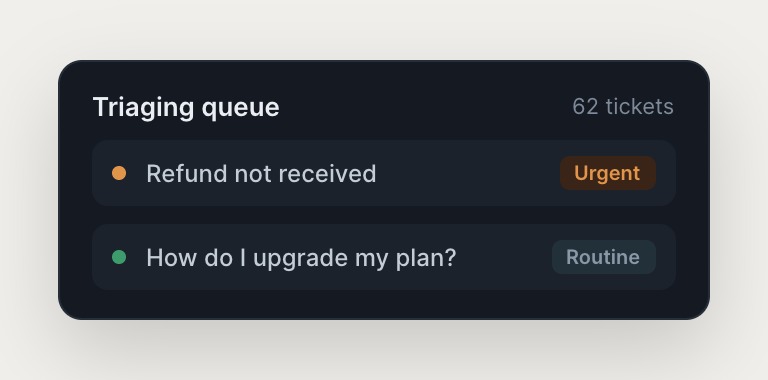
The agent resolves the routine work, investigates the complex tickets, and knows when to escalate.

#
support
Dylan
This customer reports a payment failure. What happened?
Beet
APP
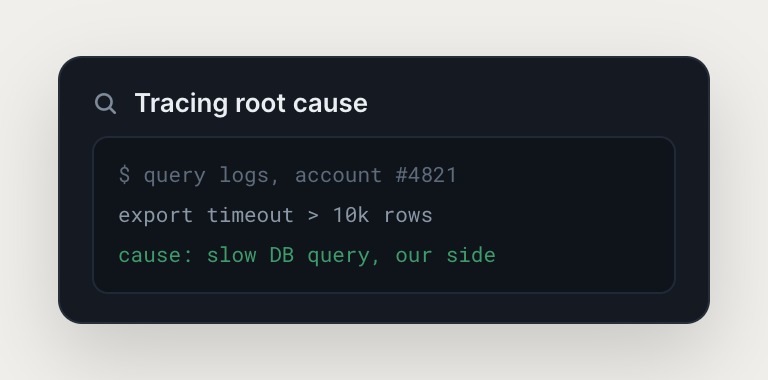
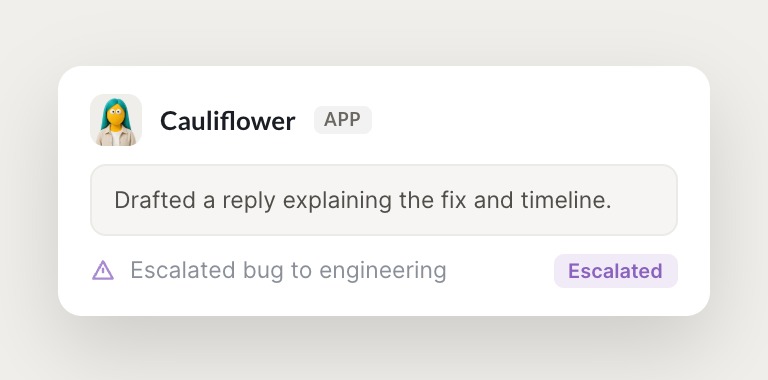
Pulled logs from Sentry, checked Stripe transaction history, and reviewed recent code changes in GitHub. It's a webhook retry issue on our side. Drafted a reply explaining the fix and timeline.
Dylan
Great, send it and open the bug.
#
support
Dylan
We're getting a lot of the same complaint this morning.
Avocado
APP
Spotted it: 15 customers asked the same question in an hour. Surfaced the pattern to the team lead, it looks like a bug from last night's deploy. Flagged in Slack with context and a recommended next step.
Dylan
Good catch, escalating to eng now. ---
INTEGRATIONS

Works inside your everyday tools.

The agent logs into Intercom, Sentry, Stripe, and your database the way a human would, navigating by clicking, typing, and pulling data. No API integration required, and the sandbox with a browser means it's not limited to pre-built connectors.

and more

Built from a description, not a workflow

The agent is part of a multi-agent team that works across your whole stack, not a single-agent tool trapped in one platform.

Resolves the routine, preserves capacity

Password resets, account access, billing clarifications, and order status get resolved in minutes. The agent drafts the reply, checks the system, and sends it, so your team's capacity is preserved for the tickets that require expertise and empathy.

Knows when to escalate

The agent knows when a refund request smells like fraud, when a feature request should go to product, and when a billing dispute needs finance. It flags the ticket in Slack with context and a recommended next step, and remembers the decision for next time.

Turns the queue into a signal

When 15 customers ask the same question in an hour, the agent surfaces the pattern to the team lead. The support queue becomes a canary for product bugs, so your team fixes the root cause before the next wave hits.

We run on Skydive too.

We don't just build Skydive, we run our company on it. Our team puts agents to work every day (they even helped build this page).

"Skydive truly transforms your entire company by automating all of the tedious tasks that consume so much of your day"

Marcus Lowe, Co-Founder
FAQ

Frequently asked questions

How does the agent handle sensitive customer data?

The agent accesses your tools with the same permissions you grant to a human support agent. It reads logs, pulls transaction history, and drafts replies, but it doesn't store customer data outside your existing systems. All data stays in your tools. The agent operates inside your security perimeter, not outside it.

What tools does the agent integrate with?

The agent logs into Intercom, Sentry, Stripe, and your database the way a human would. It navigates by clicking, typing, and pulling data, so no API integration is required. If your team uses it, the agent can learn to use it. The sandbox with a browser means it's not limited to pre-built connectors.

How long does it take to get the agent up and running?

Most teams go live in a day. Describe the workflow, connect the tools, and invite your team to message the agent in Slack. No technical setup, no workflow construction, no onboarding sprint. You're designing the outcome, not building the system.

What happens when the agent makes a mistake?

Correct it draft or override it escalation call, and it remembers. The judgment you apply this week becomes part of how it handles tickets next week. The feedback loop is built in, so the agent gets better over time as your team teaches it the edge cases.

Can multiple team members use and edit the agent?

Yes. Permissions control who can view, use, or edit the agent on a per-agent basis. A support agent that one person builds becomes team infrastructure, so the judgment compounds across the team, not just inside one person's head.

How is this different from Zendesk AI or Intercom Fin?

Zendesk AI and Intercom Fin are single-agent tools that live inside one platform. One agent is part of a multi-agent team that works across your entire stack. She hands off to other agents like another agent for engineering ops and a third agent for inbox management, and operates in Slack, email, and iMessage, not just inside your support desk.